Template Kit Installation
It is highly recommended that you back up your site before attempting to import any Elementor template kit.
Follow the steps below to install the template kit for the Dawn theme. This will install the Elementor templates as well as the demo content as shown on dawn.gostartup.shop.
Remove any previous versions of the kit if necessary
If you have previously installed this kit, make sure to remove the kit first. This will ensure that imported templates are not duplicated in your Wordpress installation.
If you have not installed the kit previously, you can skip this section and move on to the "Import the new kit" section below.
To remove the existing kit:
- Navigate to Elementor > Tools
- Click on the Import/Export Kit tab
- Click on the
Remove Kitbutton at the bottom of the page. If the button is not shown you do not have a kit previously installed.
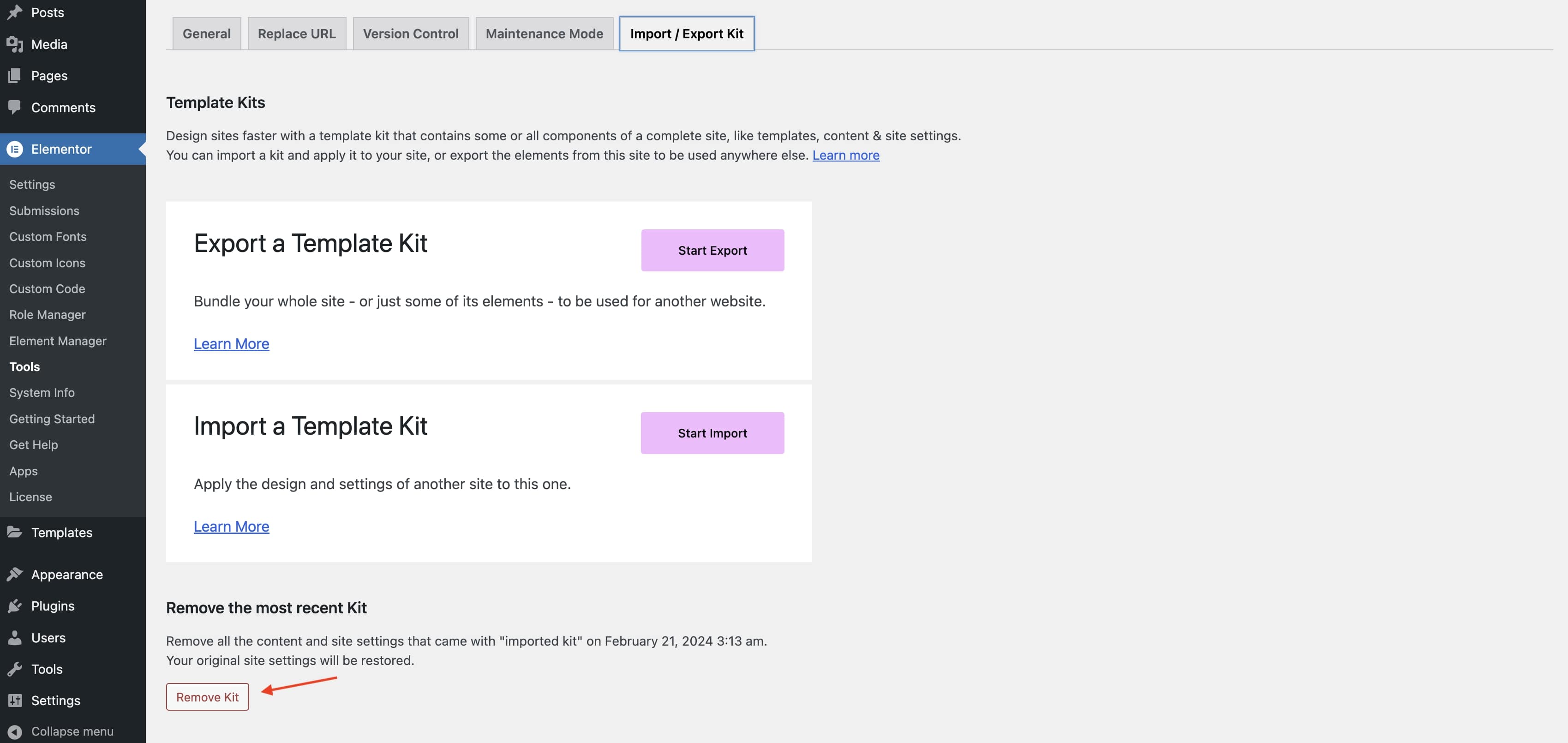
Once the kit is removed you can import the new kit.
Import the new kit
If you will be installing the demo content as part of the Elementor kit import, ensure you have an internet connection as the images for the demo content will be directly accesssed from the dawn.gostartup.shop demo website.
- Navigate to
Elementor > Tools. - Click on the
Import/Export Kittab. - Click on the
Start Importbutton.
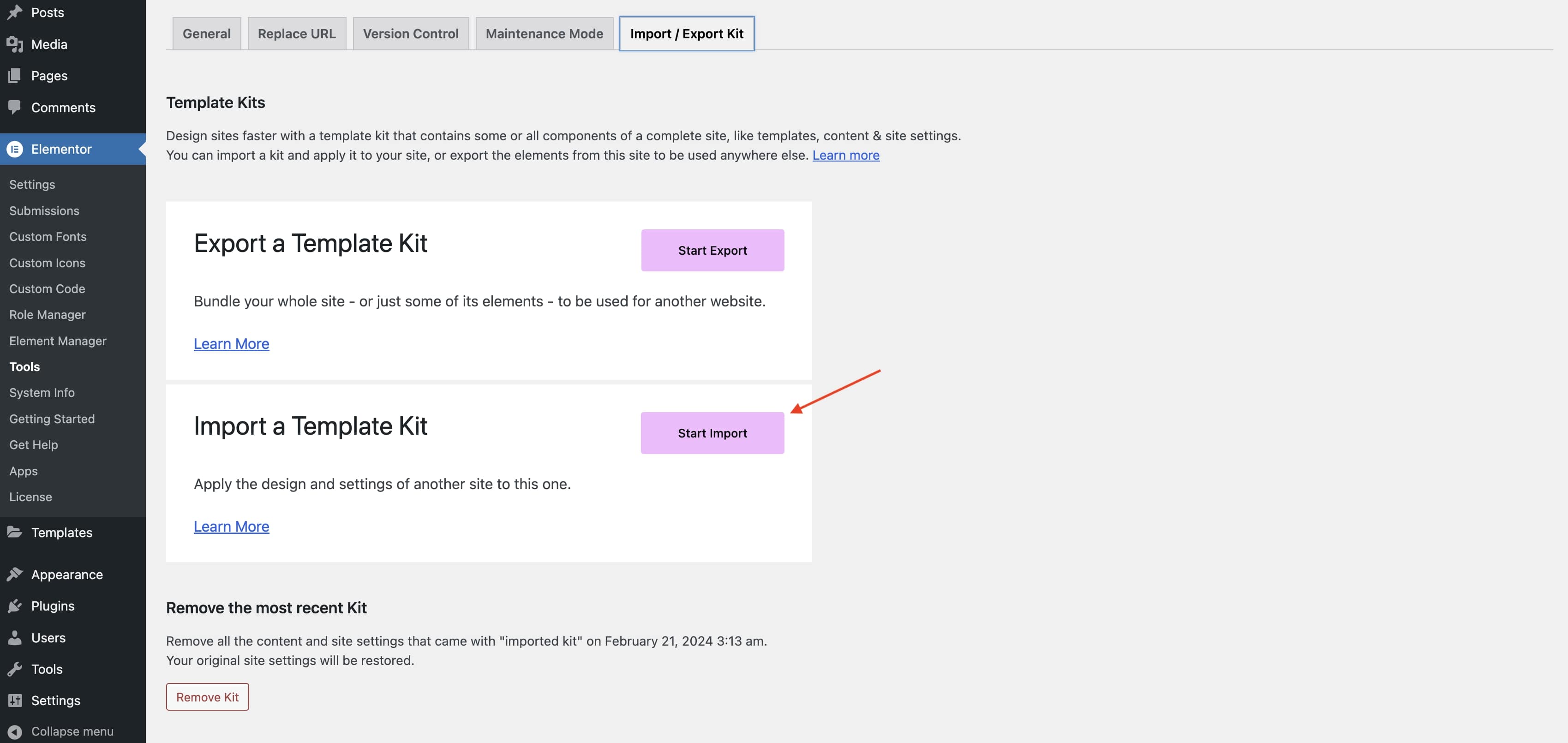
- Select the
elementor-kit.#.#.#.zipfrom the .zip file you downloaded after purchasing the theme. - In the "Select which parts you want to apply" section, select all options. In addition to the kit this will import the demo content of each template and the WooCommerce products if you select to import the products custom post type.
- Click on the
Importbutton. - Follow all the import steps.
The templates and demo content are now imported! The WooCommerce generated pages will now integrate with the Elementor templates.
Elementor will not import the main header's logo with this process. If you'd like to import our Dawn logo on the main header simply download our logo asset and import it into your Wordpress site, then update the main header template's logo setting.