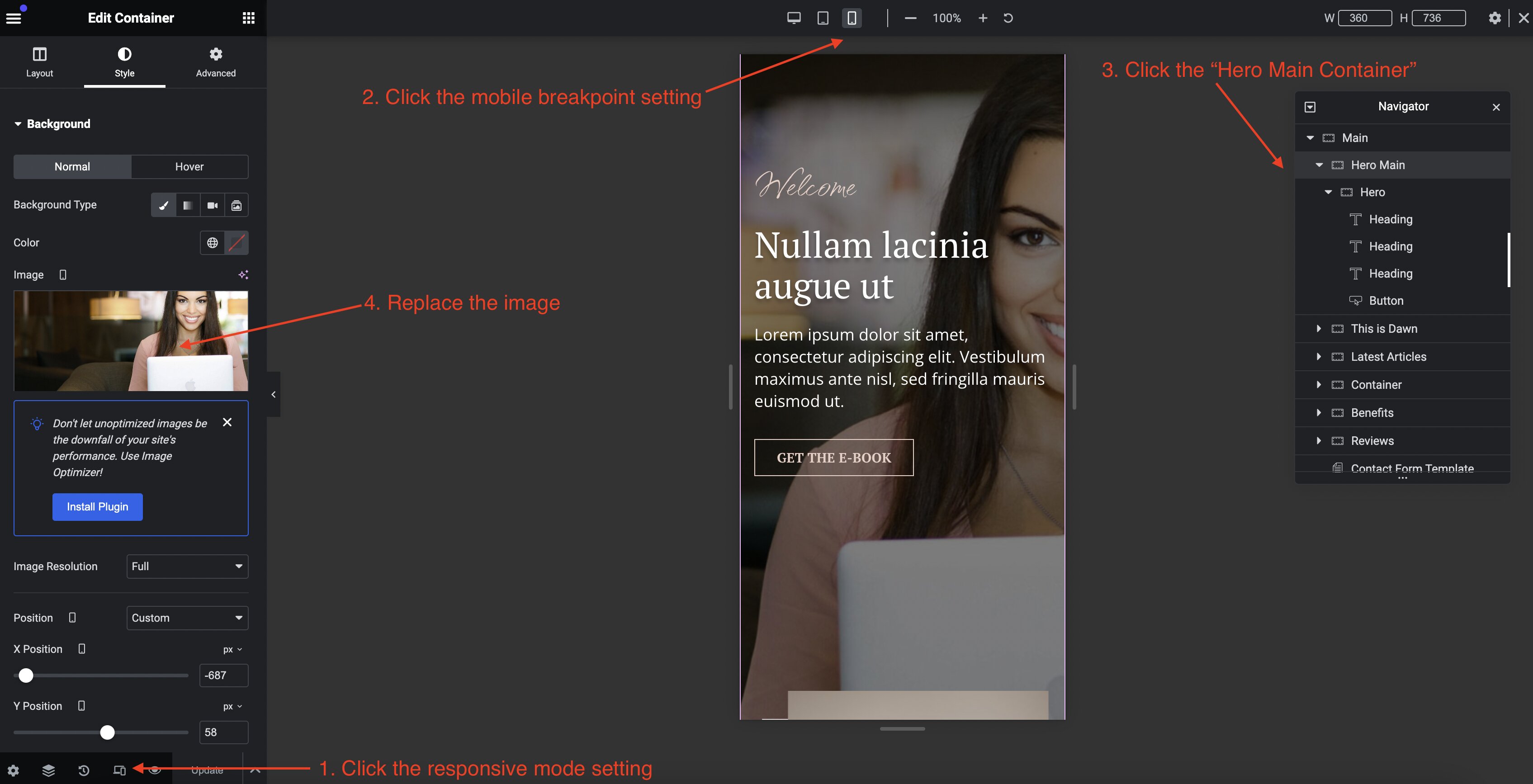
How to Edit the Homepage Mobile Breakpoint Hero Image
The hero image on the homepage is set separately for desktop size and smaller screen sizes. This is because of the styling differences between the screen sizes.
To edit the mobile version of the hero image, do the following:
- Navigate to
Templates>Saved Templatesin your Wordpress admin dashboard. - Click
Edit with Elementorbelow the "Front Page" template on the list. - View the layout's mobile break point.
- Replace the image in the "Hero Main" container.