How to Use Typography Settings for SEO
If you review the Typography settings under our Site Settings section in our theme, you'll notice our headings (H1 - H6), Body and Link settings, do not have any Typography value explicitly set to them.
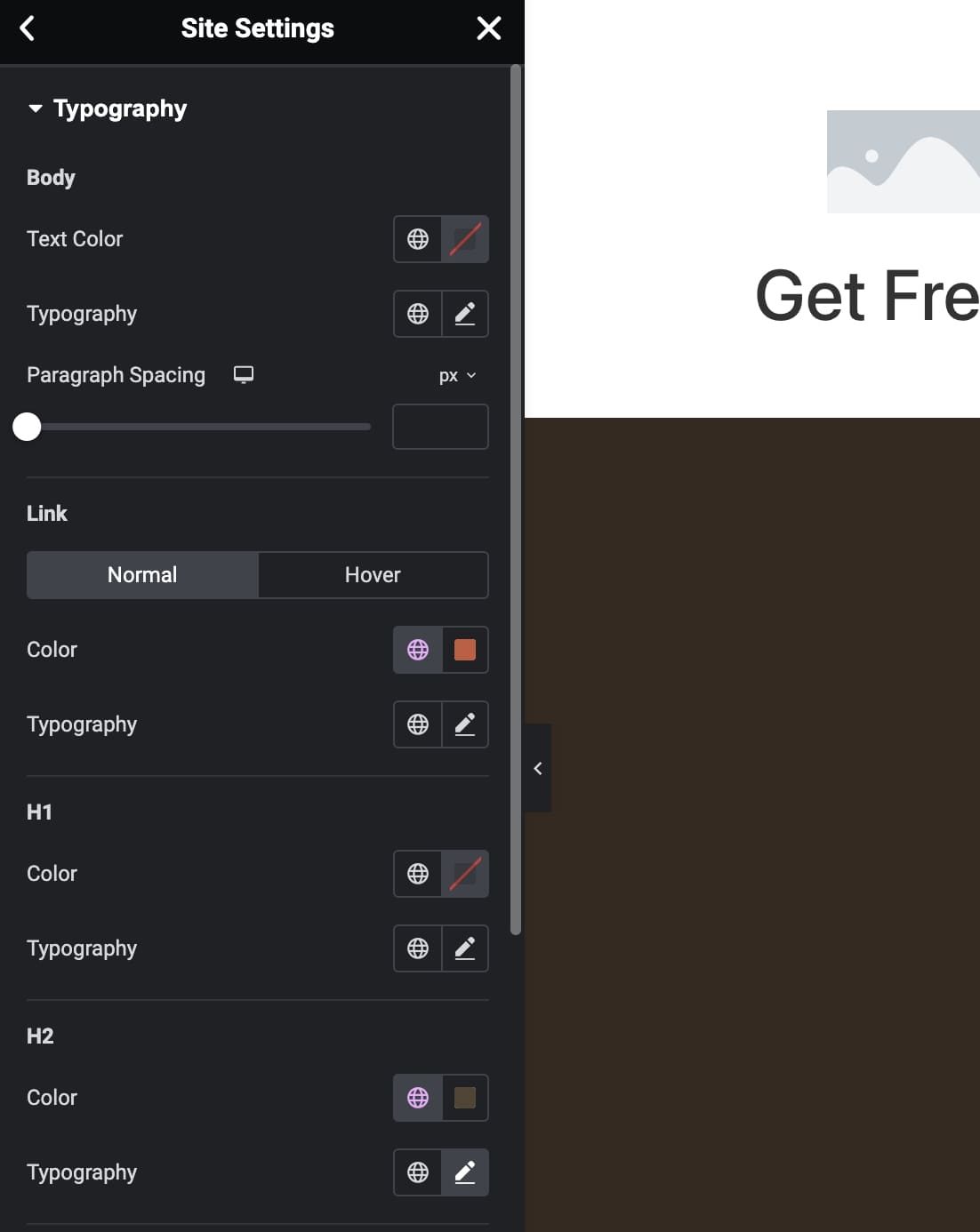
Leaving the Typography unset here allows you to gain flexibility in selecting what HTML tag is rendered for your content to better control your SEO optimization.
Example use case
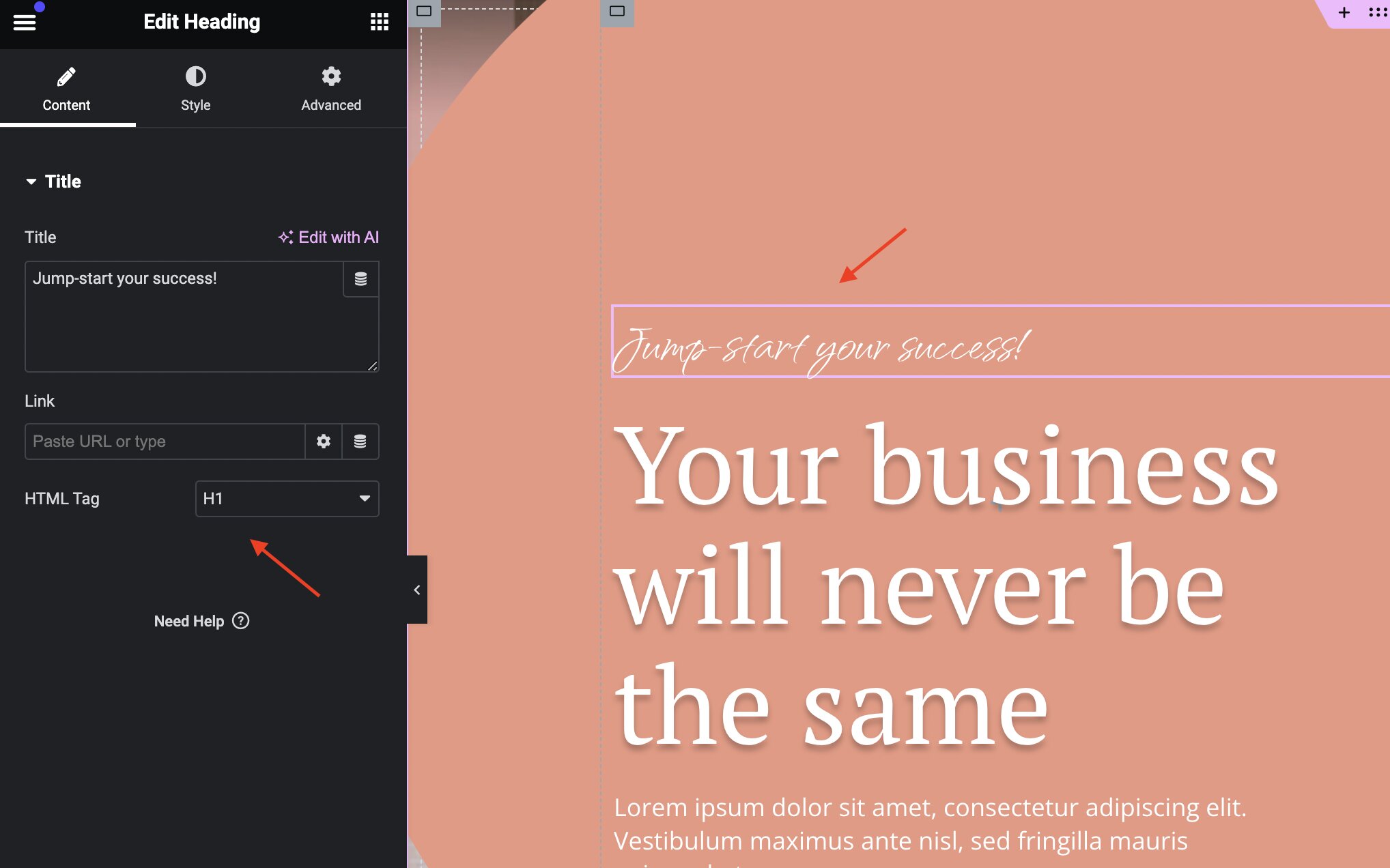
Consider a case where your landing page contains the most important content for SEO in the accented subtitle above the main title. This requires that the accented subtitle, which is smaller than the main title, to render as an h1 HTML tag. Perhaps the main title has secondary importance and should render as an h2 tag.
To accomplish this, select the subtitle and change the HTML Tag setting to h1:
Now change the main title's HTML Tag setting to h2:
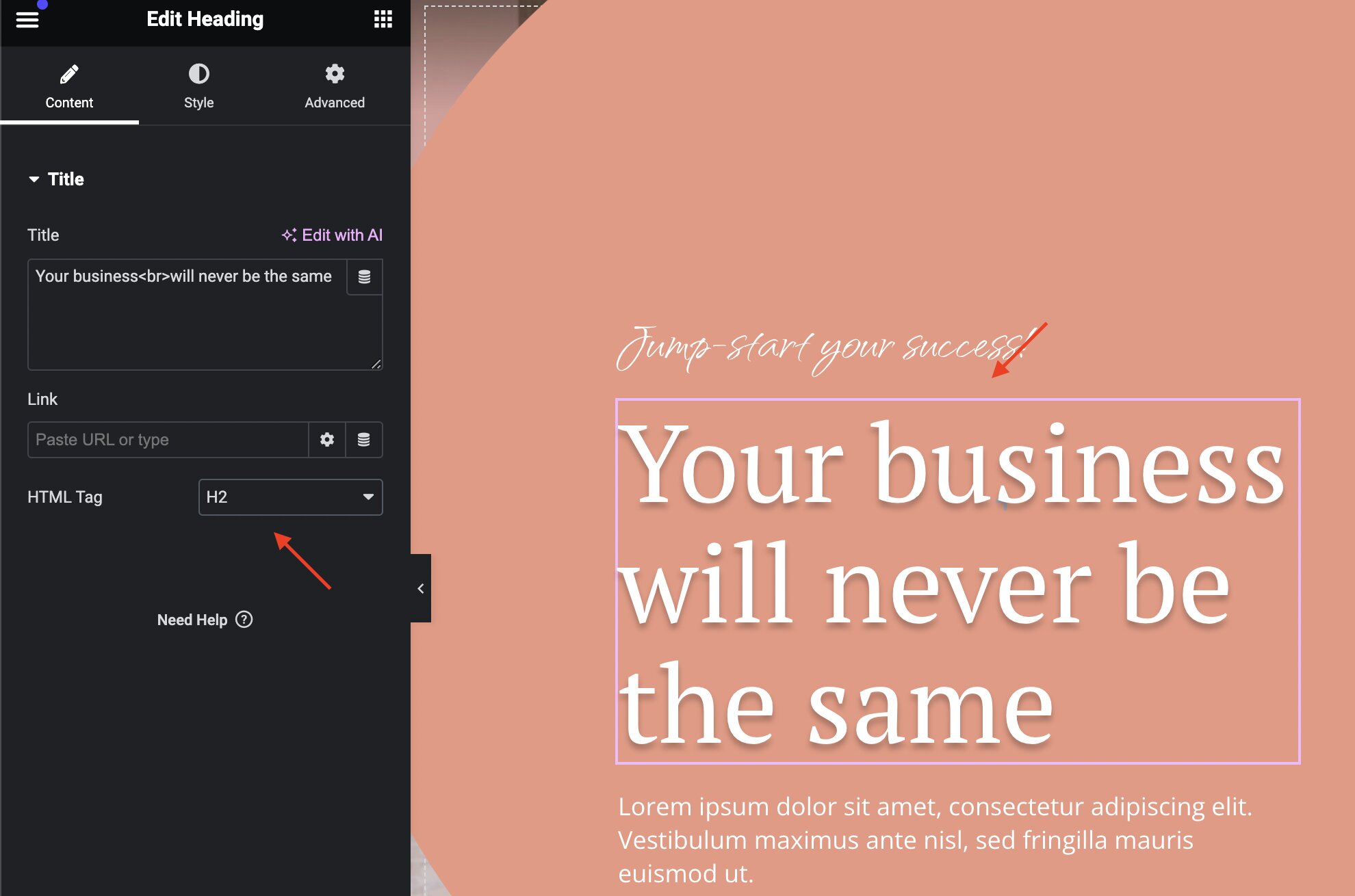
You'll notice changing the tag used to render the content does not change the style of the content in any way. This freedom allows you to update your content's style from the SEO tag independently. Changing one will not affect the other.